SunLedger — Guides for Your First Year with Solar

Independent field notes — we are not an installer, a utility, or an equipment store.

We help homeowners read their bidirectional meter, monthly bill, and monitoring app after panels go live. Real observations, plain language, no vendor promotions.

Learn More

Reading a Bidirectional Meter Without Opening the Panel

The meter face tells a story in two directions — if you know which registers to watch.

Two Registers, One Glass Cover

Most bidirectional meters display separate totals for electricity drawn from the grid and electricity sent back. The numbers climb independently: one rises when your home pulls power at night, the other when midday production exceeds what the house uses. Watching both over a week reveals whether your household leans toward self-consumption or export.

Instant Readings Versus Monthly Totals

A quick glance at the meter shows current flow direction — arrows or plus/minus symbols indicate whether you are importing or exporting at that moment. These snapshots differ from the cumulative totals your utility uses for billing. Comparing a Saturday afternoon reading to a Tuesday morning one often surprises people who assumed the meter only counts one way.

Why the Bill Keeps Arriving Every Month

Panels reduce what you draw from the grid, but they rarely remove every charge on the statement. Connection fees, minimum service charges, and taxes often remain regardless of how much energy you produce. The bill is a reconciliation document: it compares what you consumed, what you exported, and what your rate structure allows to carry forward.

Start with the delivery charges and fixed fees before studying the generation credits. Many first-year homeowners focus on the kWh totals at the bottom and miss line items that explain why the amount due is higher than expected. A bill that shows strong export credits can still include charges that panels alone cannot offset.

When App Graphs Peak in Summer and Flatten in Winter

Monitoring software and utility meters measure different things on different schedules.

Long Days, Tall Bars

Extended daylight and higher sun angles push production curves upward from late spring through early fall. The app dashboard often looks impressive during these months, showing daily totals that exceed household demand by wide margins. That visual confidence can set expectations that winter data later contradicts.

Cloud Cover and Shorter Hours

A week of overcast skies produces a flat line on the production graph — and that pattern is normal, not a sign of equipment failure. Reduced daylight hours in colder months compress the daily production window further. Comparing a January week to a July week on the same app screen explains why seasonal frustration is so common.

Nighttime Draw the App Cannot See

Your monitoring app tracks inverter output, not total household consumption. After sunset, the home continues drawing from the grid while the app shows zero production — which is correct for the inverter but incomplete for your overall energy picture. Understanding this gap prevents the feeling that the app and the bill describe different homes.

What We Have Documented So Far

Numbers from real first-year observations — not promises, not projections.

0

Months of field notes collected

0

Homeowner questions reviewed

0

Common bill line items explained

0

Seasonal patterns mapped

Recent Field Notes

Two guides from homeowners navigating the same first-year questions.

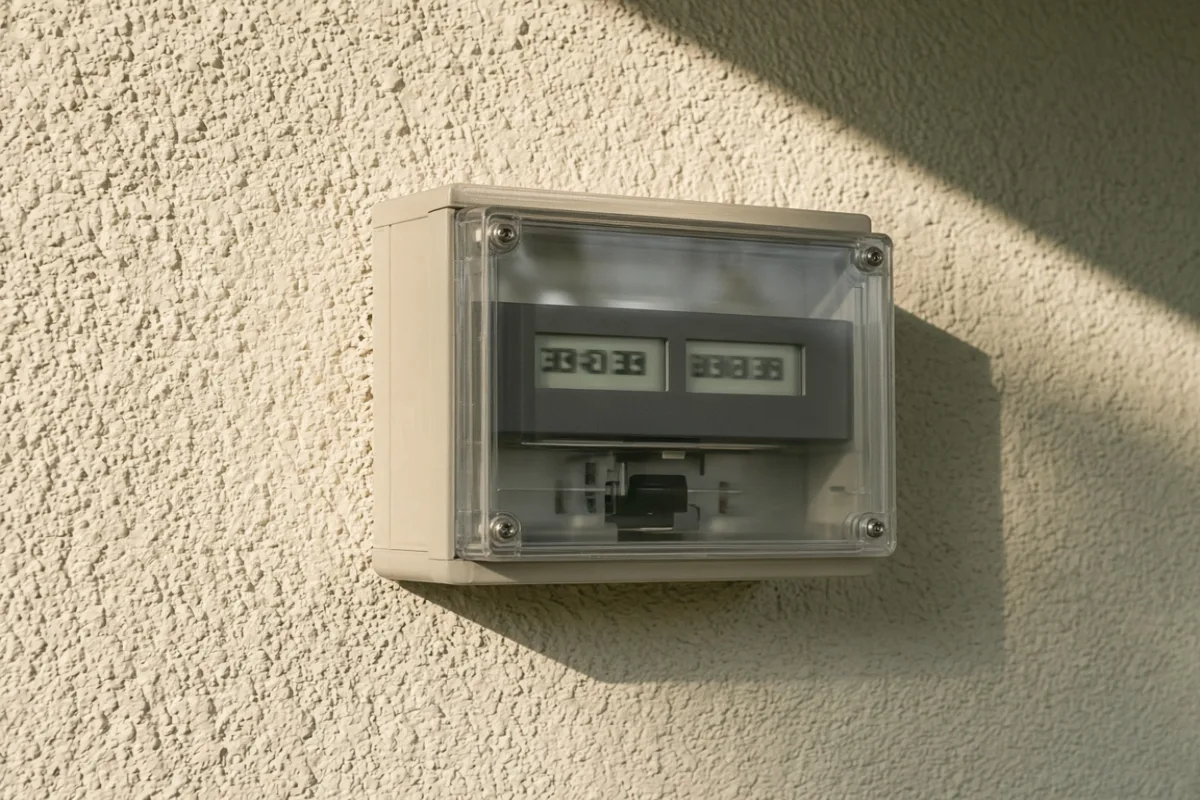
Close-up of a bidirectional utility meter with digital displays on an exterior stucco wall
4 min read Elena Marsh

What Your Bidirectional Meter Is Actually Telling You

The meter outside your garage has two climbing numbers, and most guides explain neither. This walkthrough follows one register through a full week — from a rainy Tuesday import spike to a sunny Saturday when export overtakes draw — so you can tell normal cycling from something worth a phone call.

Read Article
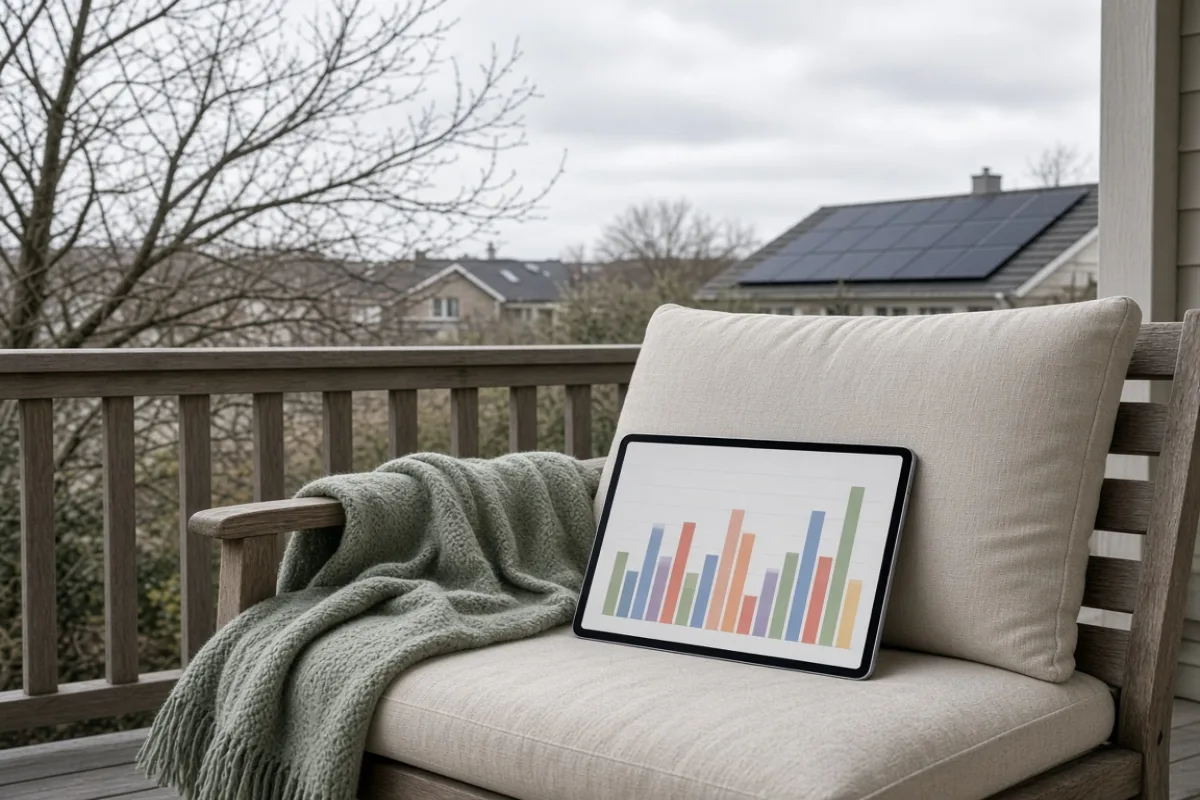
Tablet on a porch chair showing a low winter production chart, bare trees and cloudy sky beyond the railing
3 min read Marcus Delaney

Why Your Monitoring App Looks Different Every Season

The same dashboard that showed tall green bars in July flatlines in January, and the gap can look like an equipment issue until you compare daylight hours side by side. We trace one app's monthly screenshots through four seasons and point out which dips are weather, which are angle, and which might need a closer look.

Read Article

Voices from the First Year

Homeowners describing what surprised them most after panels went live.

I spent three months convinced my meter readings were wrong because the import register kept climbing overnight. Turns out our heat pump runs on a schedule I had never noticed before panels went up. Once I mapped the overnight draw against the bill's time-of-use lines, the numbers finally made sense — and I stopped calling the installer about a problem that was just our house being a house.

Rachel Huang

Elementary School Librarian, Portland

5 out of 5 stars

The app showed our highest production day on record on a Friday in June, but the bill that month was still higher than I expected. Reading about delivery charges and minimum fees here helped me separate what the panels actually offset from what the utility charges regardless. I still get a bill — I just understand the lines now instead of dreading the envelope.

Daniel Webb

Independent Carpenter, Raleigh

5 out of 5 stars

A cloudy week in March had me ready to open a service request. The production graph looked like a flatline for six days straight. Comparing that week to the same period on a weather archive showed identical cloud cover patterns from the previous year — before we even had panels. Knowing the difference between a bad weather stretch and a hardware issue saved me an unnecessary service visit.

Karen Nwosu

Registered Nurse, Sacramento

5 out of 5 stars

Have a Question About Your First Year?

Describe what you are seeing on the meter, in the app, or on a specific bill line. We review each message and respond with observations drawn from documented field notes — not vendor promotions or equipment recommendations.

Contact Us
We gather first-year stories from homeowners and turn them into practical guides. Every house, tariff, and consumption pattern is different — so we focus on what to look for, not what your neighbor's chart says.

Important Information

The materials on this site describe living with solar panels during the first year after activation. Content is informational in nature and is designed to help you read meters, bills, and monitoring data with more confidence.

SunLedger is not a solar installation company, a utility provider, or an equipment retailer. We do not install panels, issue utility bills, change rate plans, sell inverters or batteries, or compare equipment brands and models.

We do not promise specific financial outcomes, bill totals, or production levels. Tax credits, net metering rules, and interconnection requirements vary by state and utility territory — consult official sources and your own service agreement for current terms.

Electrical panel work, grid interconnection, and structural roof assessments must be performed by licensed professionals. Do not attempt to modify your service entrance, wiring, or mounting hardware based on website content alone.

Every home has different consumption habits, shading conditions, and tariff structures. Another household's first-year experience is a reference point, not a template. Decisions about system size, installer choice, and energy use remain entirely yours, and SunLedger accepts no liability for outcomes based on information presented here.